.png)
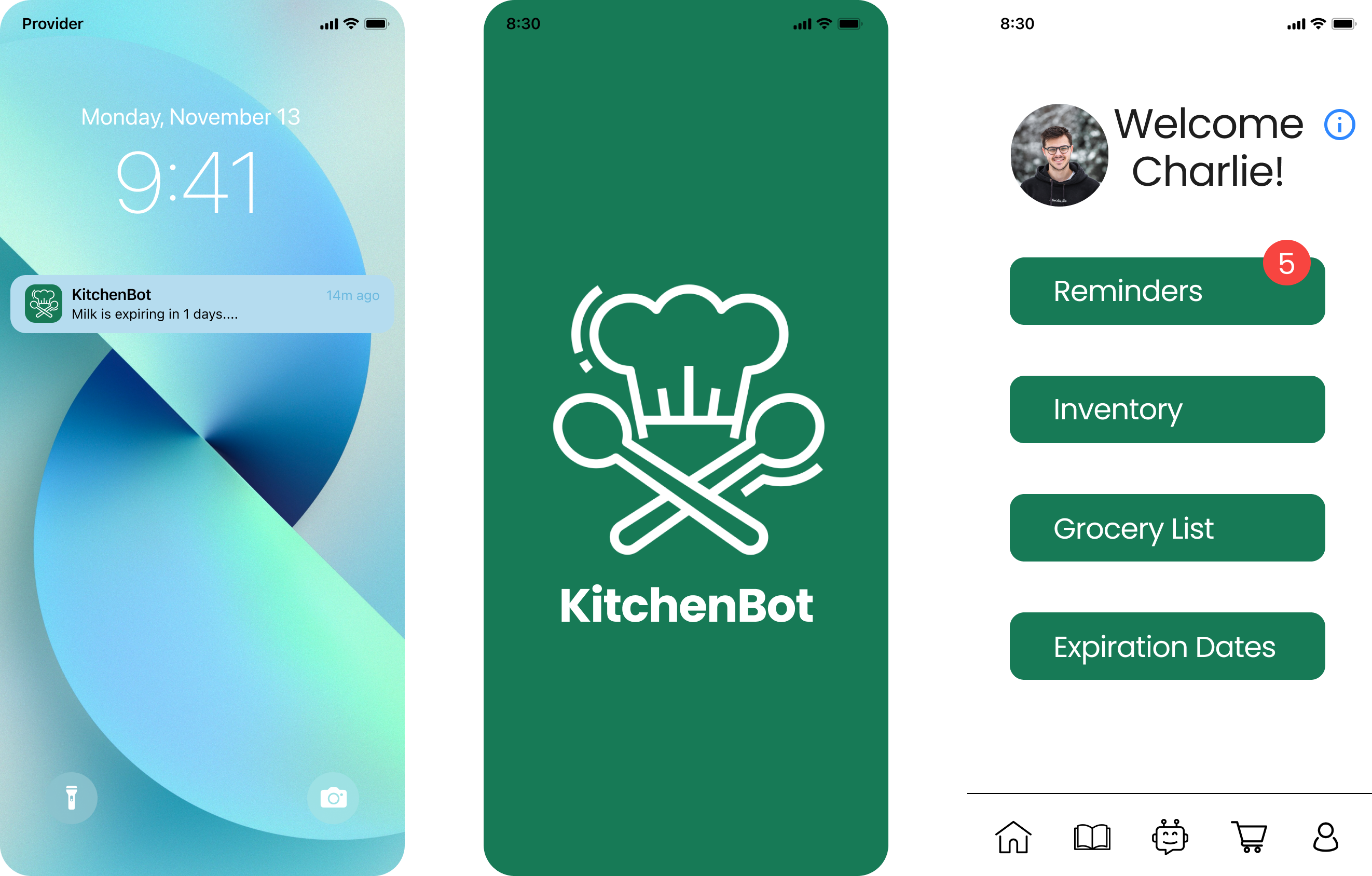
Students who regularly buy fresh produce often struggle to keep track of what they have, leading to spoiled food and unnecessary spending. KitchenBot helps students manage their groceries more efficiently through a kitchen-based smart speaker and companion app. Users can log items through photos, receipts, or voice commands, receive recipe suggestions based on available ingredients, and get reminders when food is nearing expiration.
The goal is to gain a comprehensive understanding of individuals’ cooking behaviors, preferences, and challenges, with a particular focus on food spoilage.
Adam is a 21-year-old senior at Cornell University who does not have a meal plan and prepares his own meals.
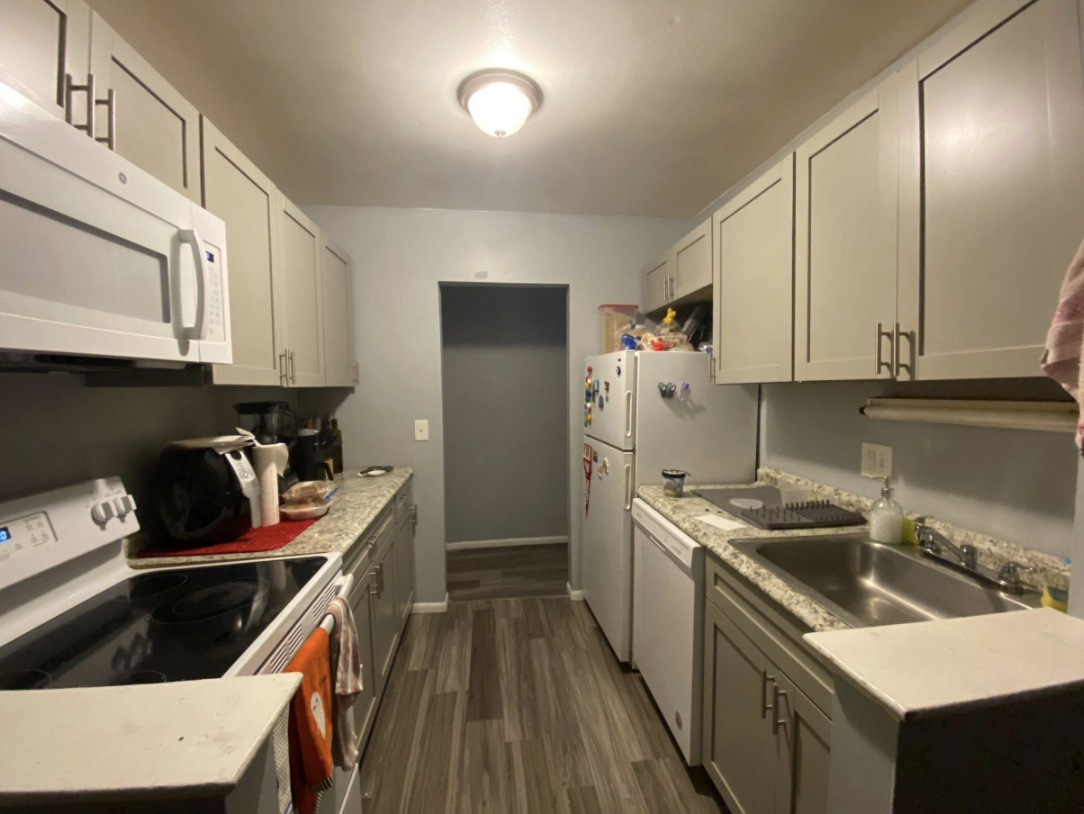
The interview was conducted in Adam’s living room and kitchen at 1:00 PM and lasted approximately thirty minutes. Although Adam lives with two roommates, neither was present during the interview.

Jane is a 21-year-old senior at Cornell University who does not have a meal plan and prepares her own meals.
The interview was conducted in Jane’s dining room and kitchen at 5:00 PM and lasted approximately thirty minutes. Jane lives with one roommate, who was not present during the interview.
Alex is a 20-year-old junior undergraduate living off-campus without a meal plan. He opted out because the cost outweighed his consumption, and the dining hall’s distance made frequent visits inconvenient. He eats out once or twice a week to maintain social connections, save time when busy, and avoid repetitive meals, leaving him responsible for cooking 15–20 meals per week. He shops for groceries approximately once a week, balancing this with academic, social, and extracurricular commitments.
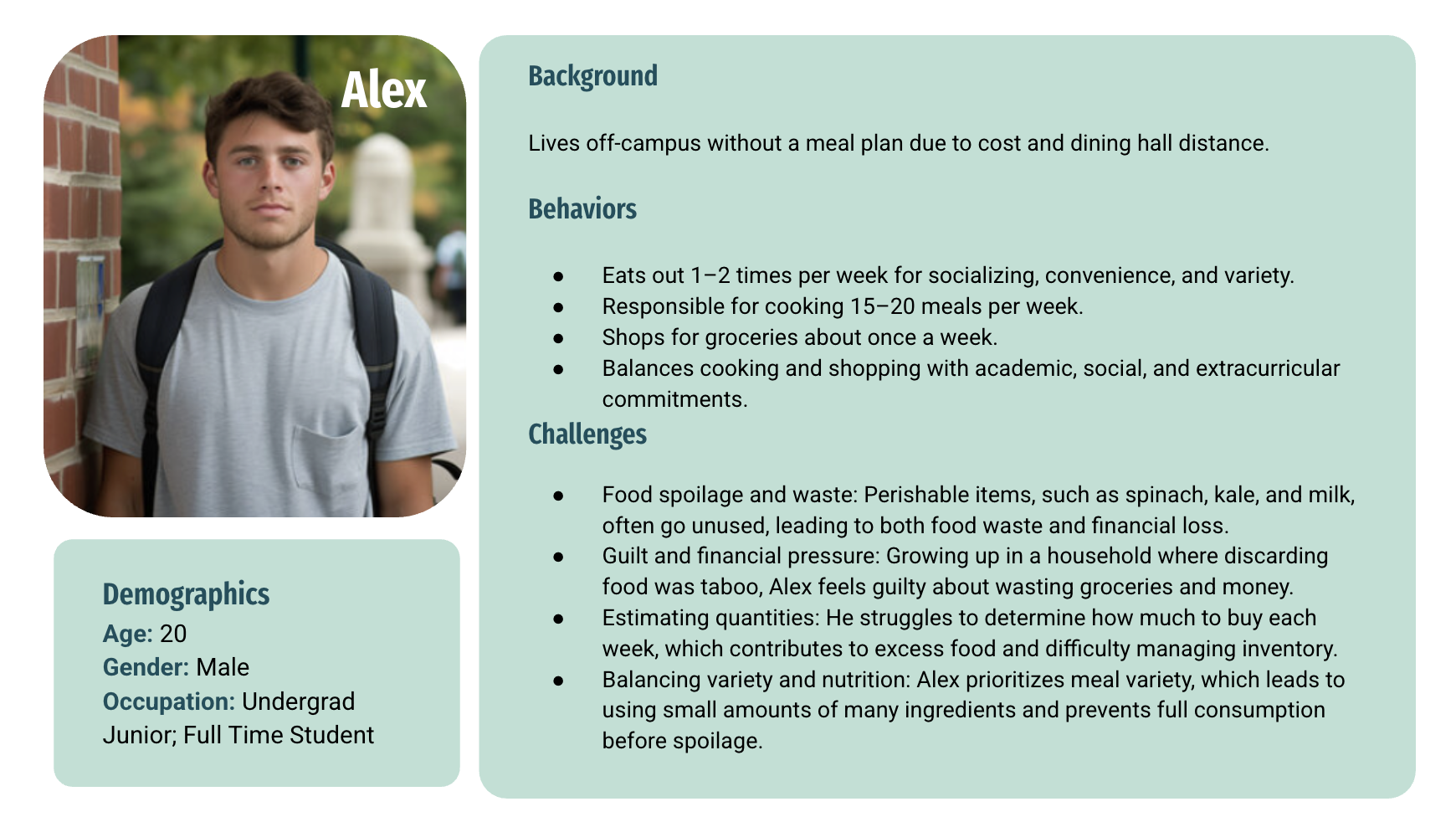
Based on our research findings, we identified the following requirements for the final product.
Users should be able to buy the right quantity of ingredients for their weekly recipes. This helps Alex avoid over or under-purchasing and reduces excess food in the fridge.
Users should be able to cook meals using only the ingredients they already have. This helps Alex make the most of their ingredients and reduces food waste.
Users should be able to track the expiration dates of all their groceries to know which items to prioritize. This helps Alex stay organized and prevents food from spoiling due to forgetfulness.
Users should receive reminders when food is about to expire or runs out. This helps Alex stay on top of their groceries and prevent spoilage.
Users should interact with the system quickly and easily, with intuitive features and fast data entry. This prevents frustration for busy users.
The solution should work with users’ existing fridge and pantry habits, accommodating messy or shared kitchens without requiring them to reorganize.
Users should create and manage shopping lists based on weekly recipes. This helps prevent overbuying and keeps track of needed groceries.
Current solutions address key issues in preventing fresh produce from spoiling. Digital tools like Cooklist and Kitche help users manage inventory and plan meals, while food rescue apps reduce waste and save money. Non-digital solutions, such as composting and proper storage containers, extend shelf life and provide environmental benefits. Existing solutions address parts of the problem, but opportunities remain for innovation.
Below are some of the ideas from my individual brainstorming session that I shared with my team as we refined and combined concepts into our final design. We evaluated each idea’s strengths, weaknesses, and relevance to the problem of fresh produce spoiling quickly. By identifying overlapping themes and complementary approaches, we were able to synthesize a solution that was both innovative and distinct from existing market options.
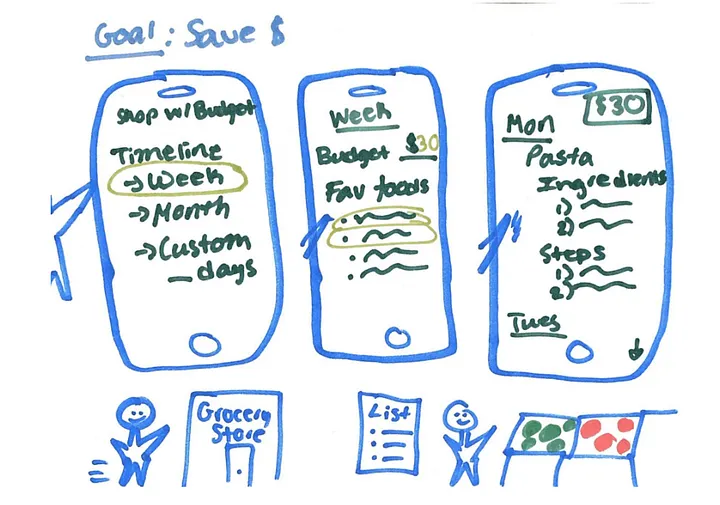
An app, Shopping with a Budget that allows you to set a timeline(week, month, or custom # of days), set a preference of your favorite types offoods to which it generates a list of meals for each day, the ingredients needed,and the steps for the recipe.
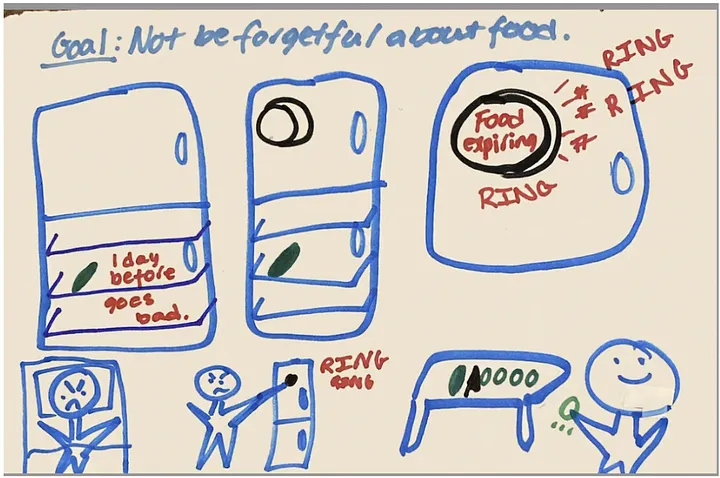
An alarm for your fridge that goes off once your food inside thefridge is about to expire. It makes a loud noise until you remove the food from thefridge.
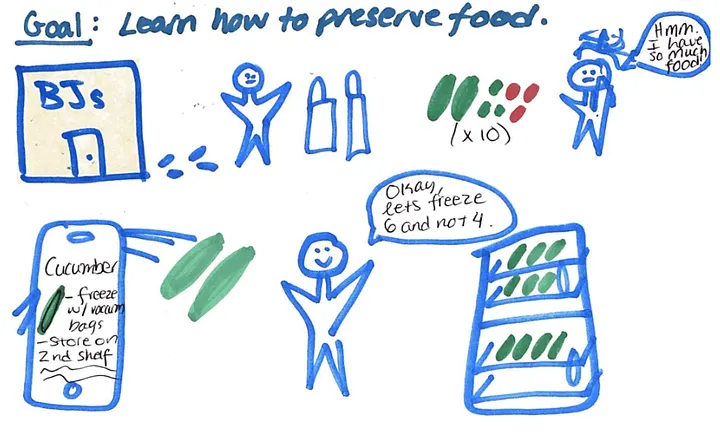
An app that educates you on how you should be storing your grocery items within your fridge and whether you can freeze it or not.
To help users reduce food waste, our team decided on the solution of an app and speaker interface called KitchenBot, with the speaker element situated in the users’ kitchen or wherever they prepare meals. It synthesizes concepts around inventory tracking, smart data input, and proactive reminders by allowing users to log groceries through photos, receipts, and speech, then using that data to suggest recipes, prevent over-shopping, and flag items nearing expiration.
Users can set expiration reminders through the app, KitchenBot, or both to reduce food waste. Dates can be added by voice or manually through app scanning, with reminders delivered as app notifications or contextual KitchenBot alerts when users enter the kitchen.
The app supports grocery planning by suggesting items and quantities based on users’ inventory and habits. KitchenBot alerts users when items are running low, while the app allows them to update or order groceries.
KitchenBot tracks pantry items through receipt or fridge photos, manual entry, or voice input. It suggests recipes based on available ingredients, creates shopping lists for missing items, and learns user preferences through feedback.
KitchenBot guides users on storing groceries to extend shelf life and reduce waste. By tracking inventory, it helps users buy only what they need and suggests recipes using existing ingredients.
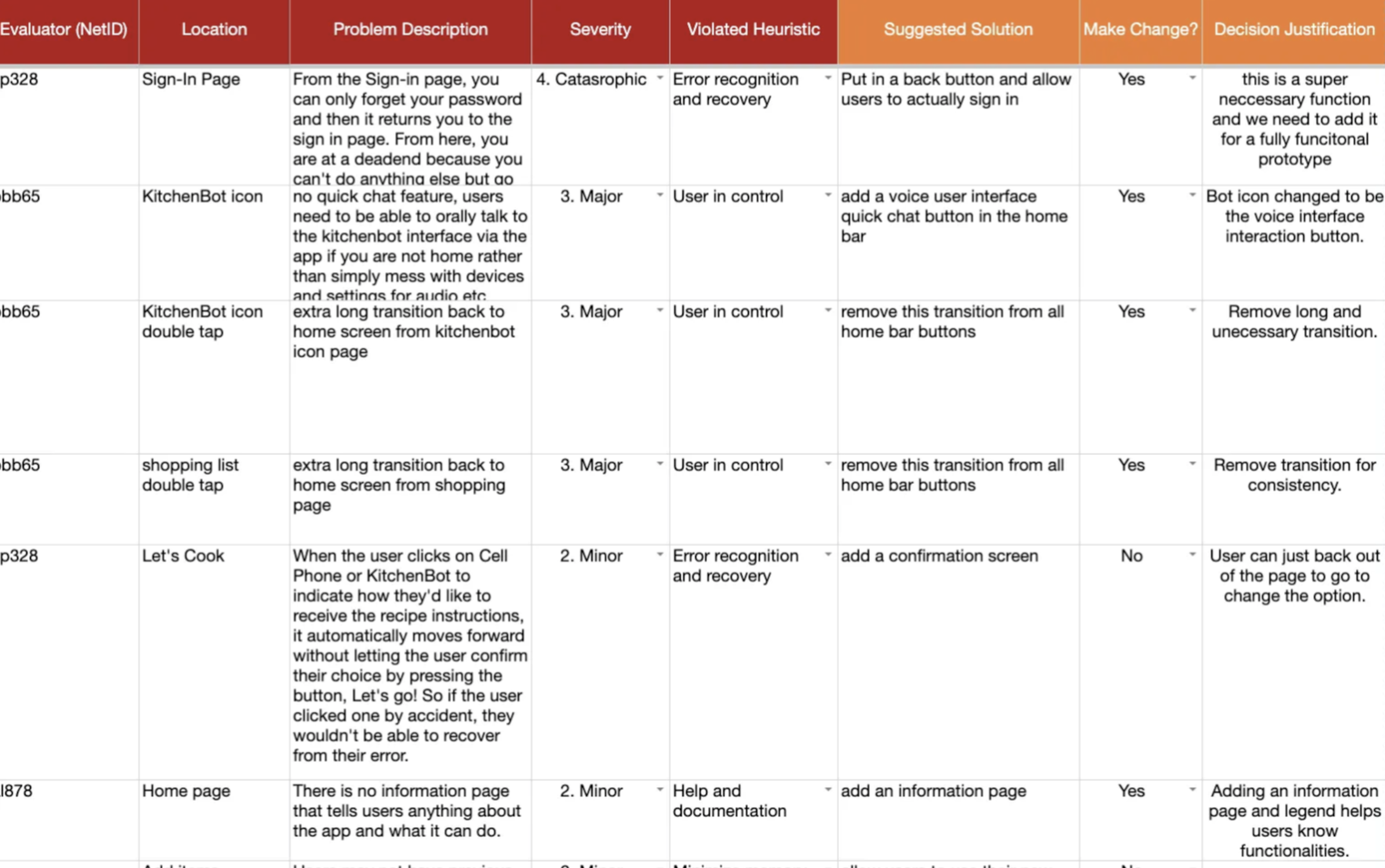
Using the ten usability heuristics, our team individually evaluated the low-fidelity prototype to identify potential usability issues early in the design process.
The spreadsheet to the right shows how we documented each issue, including the violated heuristic, severity, description, suggested solution, whether a change should be made, and our justification.
Each team member conducted user testing with one participant, for a total of four participants. The spreadsheet to the right documents observed issues, including their location, description, evidence, severity, suggested solution, cost, and rationale for making the change.
View Usability Testing Notes ↗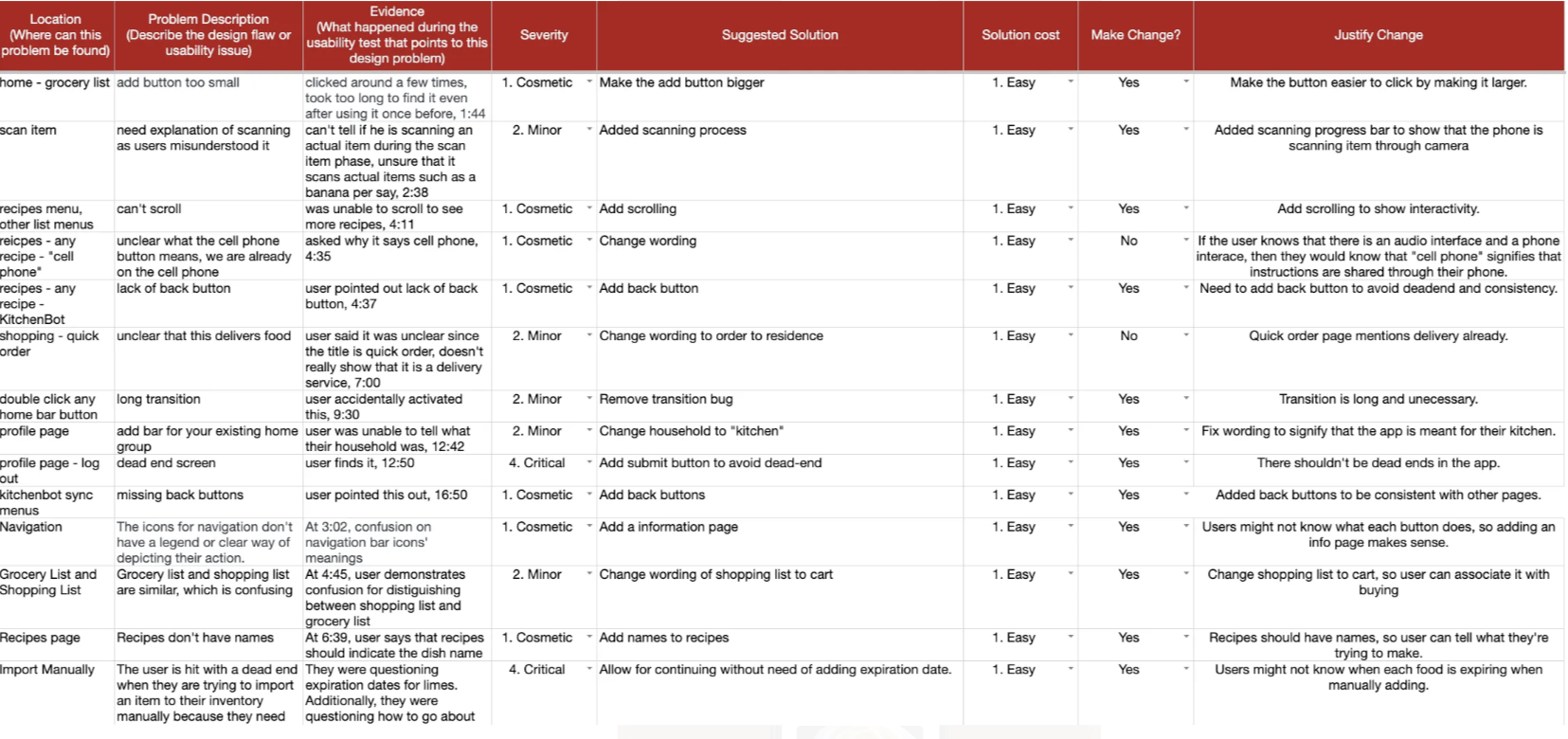
The previous iteration had several usability issues, including limited interactivity, unclear voice interface access, and inconsistent navigation. We addressed these by adding real-time feedback for reminders, the cart, and scanned items; moving settings to the user profile and making the robot icon activate voice controls; and adding back buttons, removing unnecessary transitions, and making the sign-in button tappable. These changes created a smoother and more predictable user experience.
Worked with the group to create a video demonstrating how KitchenBot could be used in a real-life scenario, highlighting interactions with both the app and speaker interface.
Research showed us that users may hesitate to share detailed food and pantry information, making privacy an important part of the overall experience.
Creating tasks for KitchenBot helped us stay focused throughout the design process and ensured that each part of our solution continued to address the needs of our users.
We would further test the speaker interface while exploring privacy-focused features that give users greater control over what KitchenBot can access and share.